Privro AI: On-Device Whisper Transcription, Subtitle Studio & Voice Tools
A web suite engineered for creators, journalists, researchers, and legal teams who need to transcribe audio, style video subtitles, and generate voice tracks without uploading private media to third-party cloud servers.
Whisper models run on your CPU/GPU using WebAssembly.
Auto-detected or manually chosen speech recognition.
Client-side FFmpeg subtitle burning in Caption Studio.
SRT, VTT, TXT, JSON, CSV, XLSX, DOCX, and PDF.
The Problem: Cloud Transcription Risks
Most automated speech-to-text tools require uploading audio recordings to third-party cloud servers. For creators handling unreleased interviews, journalists guarding source material, researchers working with patient data, or legal counsel reviewing witness depositions, remote uploads present regulatory and confidentiality headaches.
Privro solves this conflict by executing OpenAI Whisper models directly inside the client browser. You do not need to install desktop software, configure Python environments, or pay API usage meters. You open the web application, load a file or record through your microphone, and let your browser transcribe the audio in memory.
Free Browser Tools & Utilities
Explore the core tools available on the Privro platform with no account or subscription required.
Local Whisper Transcription
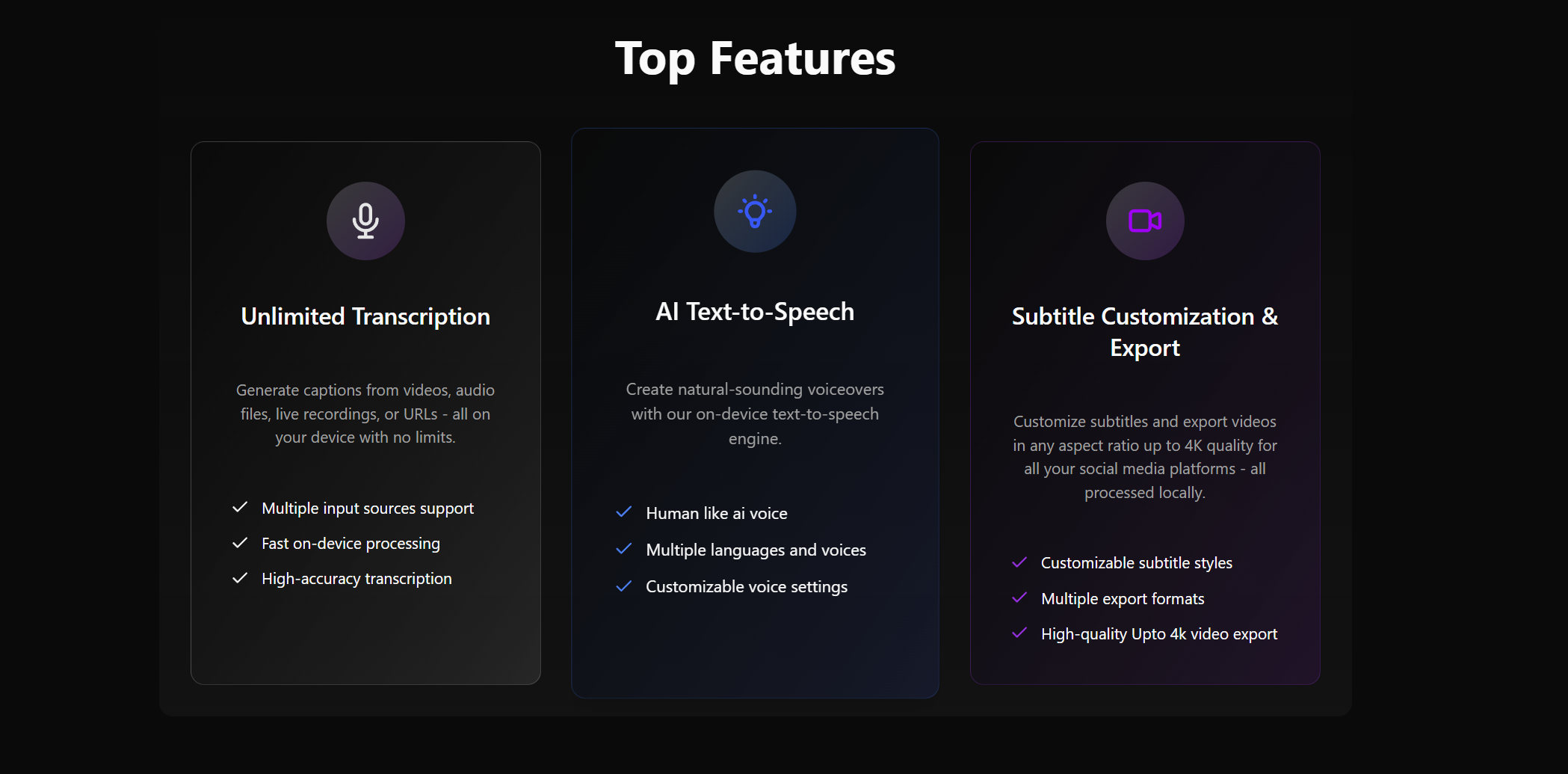
Converts speech to text directly in your browser using OpenAI Whisper. Audio and video decode in device memory, so your files stay on your machine.
- 5 Whisper model sizes: Tiny (~120 MB), Base (~206 MB), Small (~586 MB), Medium (~900 MB), and Large Turbo (~1.6 GB)
- 99 auto-detected or manually selected languages
- Accepts MP3, WAV, M4A, AAC, OGG, FLAC, OPUS, WEBM, MP4, and MOV
- Exports to SRT, VTT, TXT, JSON, CSV, XLSX, DOCX, and PDF with word timestamps
Caption Studio
A complete subtitle editor and video styler that runs in your browser. Transcribe video or import SRT and VTT files, customize typography, and render finished clips.
- In-browser FFmpeg exports videos up to 4K (4K, 2K, 1080p, 720p, 480p, 360p)
- Karaoke word-by-word highlights and animation controls
- Multiple canvas aspect ratios: 9:16 vertical, 16:9 widescreen, 1:1 square, 4:5, and 3:2
- Exports clean sidecar subtitle files or burns subtitles straight into MP4
AI Voice Generator
Synthesizes natural speech from text directly on your hardware. Generates voiceovers without sending scripts to external servers.
- Runs fully on device with WebAssembly
- Zero API keys, cloud tokens, or usage meters required
- Fast preview and direct audio file export
- Ideal for quick video narration and prototype voice tracks
MP4 to Text Converter
A dedicated browser utility to extract dialogue and subtitles from MP4 video files. Works without account creation or queue delays.
- Extracts dialogue directly from MP4 and video tracks
- No account or sign up required
- Generates timestamped SRT subtitles and plain text transcripts
- Process unlimited video files on your computer
Technical Architecture: In-Browser WASM & Web Workers
Running heavy machine learning inference in a web browser requires careful resource handling. The transcription pipeline isolates audio decoding and neural network execution based on the open-source OpenAI Whisper repository inside dedicated Web Workers. This architecture prevents UI freezes and maintains steady 60 fps responsiveness during long transcription tasks.
For video captioning, Caption Studio brings WebAssembly-compiled FFmpeg directly into the client. Instead of streaming large 4K video files back and forth across the network, the browser loads the video file into local memory, burns styled karaoke subtitles at chosen aspect ratios, and generates the finished video file on your disk.
Similarly, the AI Voice generator converts text into natural speech waveforms locally. Just as an in-browser brown noise generator uses the Web Audio API to synthesize acoustic sound waves directly in the tab without streaming media files, Privro creates synthetic speech without sending scripts to external servers. Content creators can prototype voice tracks without worrying about cloud token expiration or third-party data tracking.
Offloads Whisper tensor math from the main UI thread to prevent browser stutter.
Weights remain in browser storage after first download, allowing offline execution.
Localized across English, Spanish, Portuguese, Italian, German, French, Hindi, Indonesian, Polish, and Japanese.
Processing Models: Local vs Cloud
Privro offers two clear operating models depending on your file size, hardware power, and feature needs.
Local Browser Processing
Best for privacy-sensitive recordings, quick audio clips, interviews, and creators who want zero quotas.
- Cost:100% Free with no usage cap
- Data Privacy:Audio stays in memory. No files sent to Privro
- Account:No login or sign-up needed
- Engine:OpenAI Whisper (Tiny to Large Turbo) via WASM
- Offline Use:Supported once weights are cached
Cloud Intelligence Tier
Best for multi-speaker meetings, long files up to 10 hours or 5 GB, and regulatory redaction.
- Cost:Pro Monthly ($9.99 for 600 mins) or Credit Pack ($9.99 for 500 non-expiring credits)
- Data Retention:Uploaded media automatically deleted ~1 hour after completion
- Features:Speaker labels (diarization), PII redaction, medical domain, translation
- Capacity:Handles recordings from 160 ms up to 10 hours
- Account:Requires sign-in for job history persistence
Technologies Used
The frontend application is built with modern web technologies focused on fast rendering, type safety, and efficient binary data streaming.
Frequently Asked Questions
Answers to common technical and privacy questions about Privro AI.
Do my audio or video files get uploaded during local transcription?↓
No. Local transcription on Privro runs through OpenAI Whisper compiled to WebAssembly. The browser decodes your media file in memory and runs the neural network on your CPU or GPU. The audio data never leaves your computer.
Can Privro transcribe audio offline?↓
Yes. On your first visit, your browser downloads the Whisper model weights and stores them in your browser cache. After that initial download, you can disconnect from the internet and continue transcribing files locally.
What is the difference between Local and Cloud transcription?↓
Local transcription is free, unlimited, and runs on your hardware without uploads. Cloud transcription is an optional paid tier for users who need speaker diarization (speaker labels), automated PII redaction, medical vocabulary, translation, or processing for very long recordings up to 10 hours and 5 GB.
What video resolutions does Caption Studio support?↓
Caption Studio uses browser-compiled FFmpeg to render and burn subtitles locally at resolutions up to 4K (3840x2160), with support for 2K, 1080p, 720p, 480p, and 360p across vertical (9:16) and widescreen (16:9) formats.
Do I need to create an account to use the free tools?↓
You do not need an account or credit card for local Whisper transcription, Caption Studio, the MP4 to text converter, or the AI voice generator. You open the page, pick a file, and process it immediately.
Transcribe and Style Media Without Cloud Uploads
Try on-device OpenAI Whisper speech-to-text, generate custom subtitles with Caption Studio, or convert video files directly in your web browser.